- Learn Prompting's Newsletter
- Posts
- Google AI Studio Just Became the Best Free Full-Stack App Builder
Google AI Studio Just Became the Best Free Full-Stack App Builder
Forget just generating UIs. Now you can add databases, logins, and APIs
Learn Prompting Newsletter
Your Weekly Guide to Generative AI Development
Google AI Studio Just Became the Best Free Full-Stack App Builder
Learn how you can add databases, logins, API access, and more.
Hey there,
Vibe Coding has improved significantly over the past year. We’ve reached a point where we can generate beautiful UI designs in a single prompt and have cut the development time for websites because of it. Despite this, vibe coding has struggled to move beyond UI and create more complex features like multi-person experiences. While some tools do offer more in-depth development, it’s often locked behind a paywall or not user friendly. This is where Google AI Studio stands out. This tool combines the necessity of great UI design with the power of end-to-end development, all while being free. Let’s explore Google AI Studio and its latest update!
AI Studio is Now Full-Stack
Google AI Studio’s latest updates bring a number of new free features that transition this vibe coding tool from an interesting side project to a game-changing tool for full-stack development. Of course, Google AI Studio scales with the user which means it can be a no-code tool for nontechnical users or a more traditional vibe coding tool with manual development.
A More Powerful Coding Agent
Google’s Antigravity agent has been updated to better understand your full project. It’s also better at building complex apps from simple prompts and iterating during development. Ultimately Antigravity is now more useful for developers and nondevelopers alike.
Built-In Databases & Logins (Firebase Integration)
AI Studio now automatically detects whenever your app needs a database or login sequence. It’ll then ask you to approve the implementation before automatically connecting to Cloud Firestore and Firebase Authentication. This new integration eliminates one of the biggest hurdles for non-coders and allows for vibe coding to be useful for more than just great UI design.
Multiplayer and Real-Time Collaboration
Building apps where multiple people are interacting in real-time is notoriously difficult to do well. However, the latest updates to AI Studio simplifies this process to saying “build me a multiplayer/collaborative experience that does X”. This saves experienced developers time and opens up a ton of new possibilities to non-coders. You’ll see two examples of multi-person apps in the next section.
Connecting to APIs Securely
The usefulness of an app is extremely limited if it can’t access the outside world. AI Studio is addressing this shortcoming by adding a new “Secrets Manager” that allows you to securely store API keys that are used within your app. Your vibe coded apps can now fetch live data or even process payments.
New Web Toolkit
Antigravity can now pull in professional libraries from across the internet which allows it to create animations, icons, and more. This ensures that your apps feel fresh and polished and give an extra bit of confidence to your users.
Persistent Sessions
AI Studio now has persistent sessions across tabs and devices. This means that you can start in one tab and then pick up where you left off later in a new session without losing anything.
Demos That Prove It
While these features sound great, the best way to understand these new changes is to look at some apps.
Demo 1: Slither.io (Neon.snake)
This popular multiplayer web game can be easily recreated within AI Studio. The version you see below was actually created by the Google team and is a shockingly good recreation of the original.
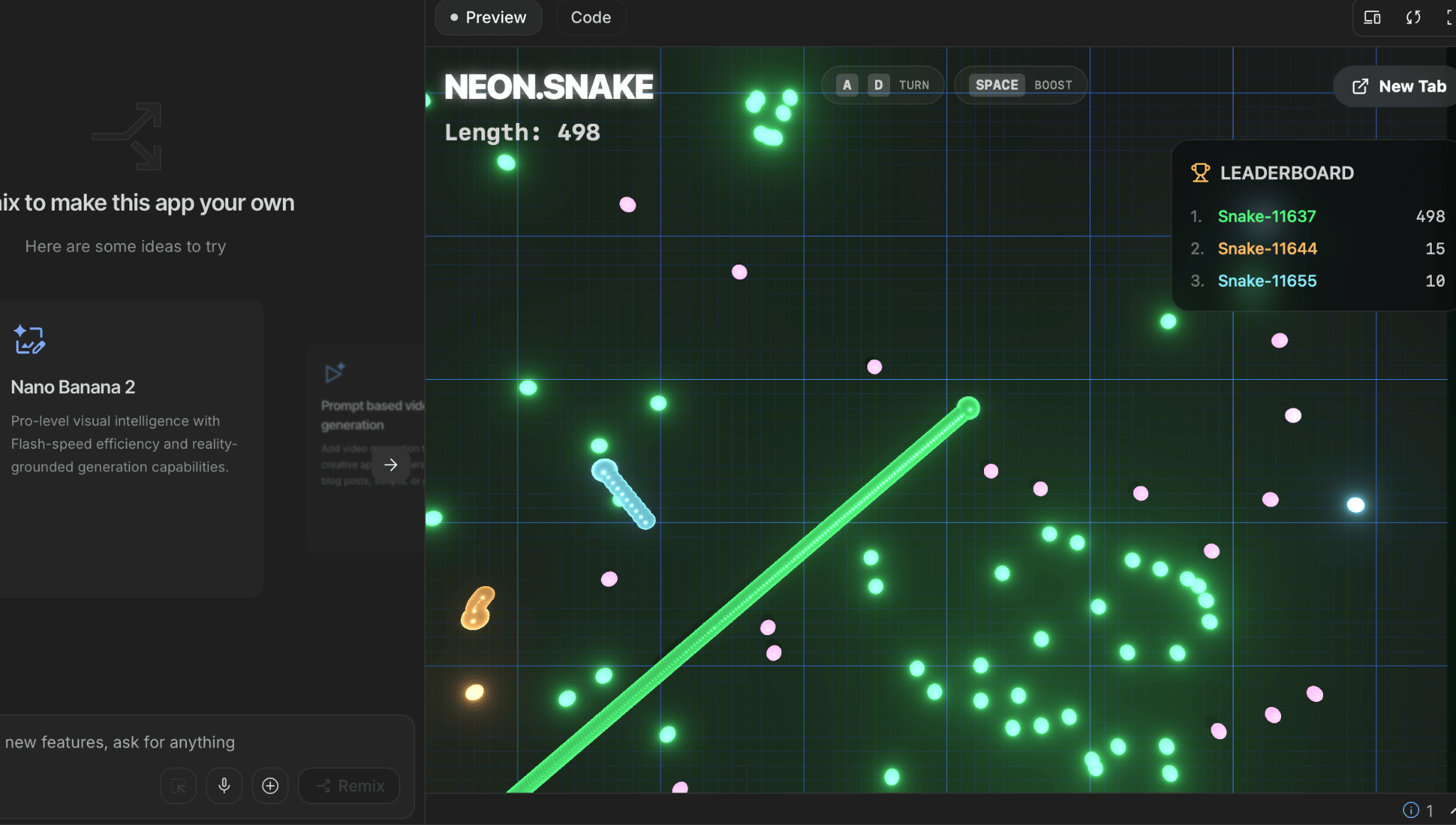
You can remix and publish any of the demos that Google created within AI Studio.
Demo 2: Collaborative Brainstorming
This team oriented app allows users to create sticky notes on a shared board. I was able to create this initial version in just one, brief prompt. This type of app is great for brainstorming, live bug tracking, or even personal note taking. It's important to remember that vibe coding can be used to create real, practical apps that help in everyday tasks.
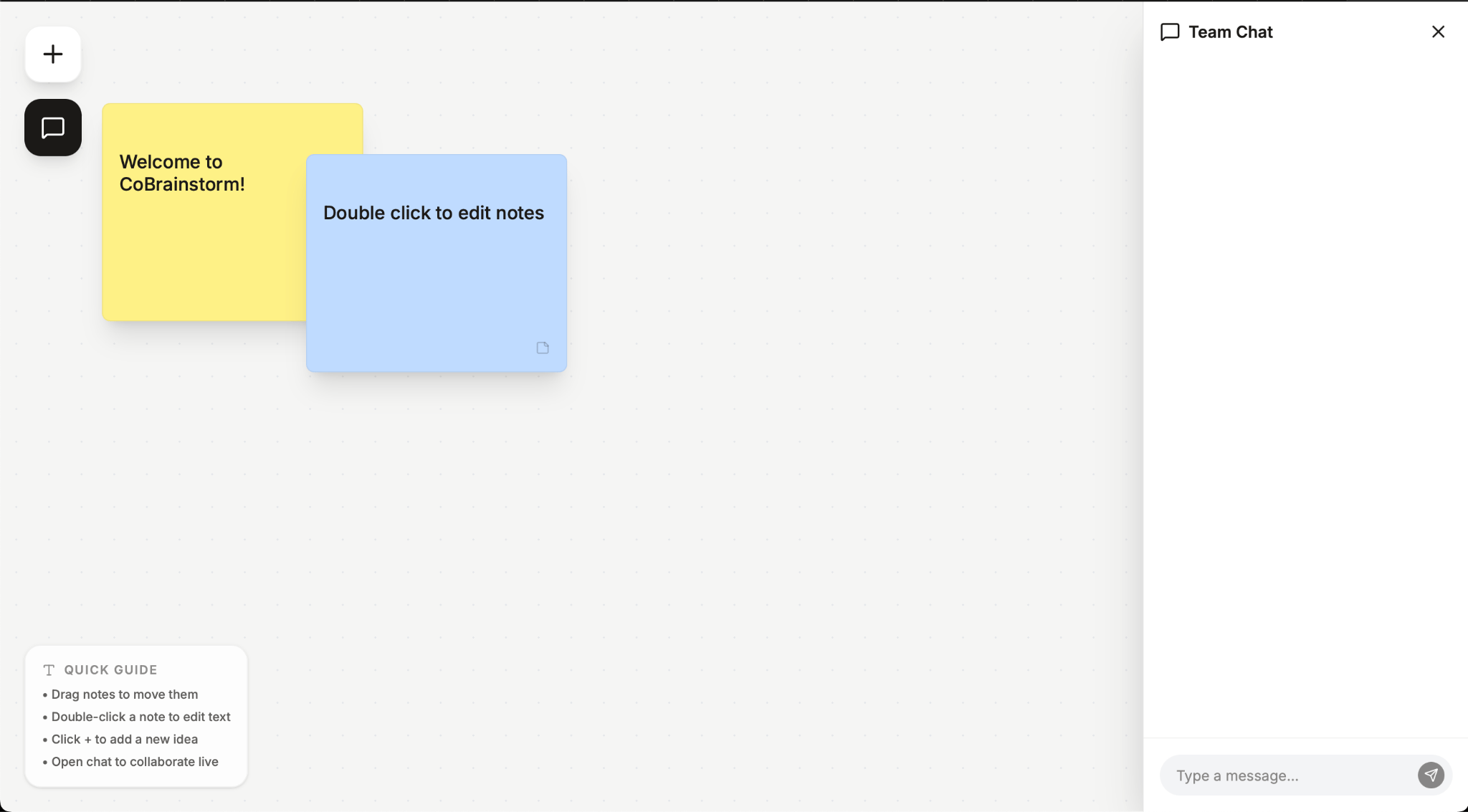
This brainstorming app was a one-shot prompt and is a great starting point for further development.
My Thoughts:
This week’s update has turned Google AI Studio into one of the best vibe coding platforms available. Not only can you create full-stack apps and websites, but the generous free tier lets you build and experiment with all the features mentioned above at no cost. I’ve used it for the past year, and it has easily become one of the best AI products in my daily tech stack. Once you create something you’re proud of, you can easily publish and share it. And if you get hooked on vibe coding like I did and start hitting your daily rate limits, transitioning to a paid API key is completely seamless.
Overall, this update opens the door to creating apps that don’t just look professional, but have the functional backend to match. I highly recommend trying AI Studio to build that app idea you've been sitting on.
Reply