- Learn Prompting's Newsletter
- Posts
- Nano Banana 2 Is Here - And It’s The Best Image Model Yet
Nano Banana 2 Is Here - And It’s The Best Image Model Yet
Better instruction following, improved text rendering, and consistent characters
Learn Prompting Newsletter
Your Weekly Guide to Generative AI Development
Nano Banana 2 Is Here - And It’s The Best Image Model Yet
Learn how Nano Banana 2 is smarter, has better text rendering, and consistent characters
Hey there,
When Nano Banana was first released last year, it was hailed as one of the best image generators to date. Now, Google is once again vying for the top spot with its new model, Nano Banana 2. This isn’t just a minor release; it's a major leap forward. Nano Banana 2 was designed to be smarter, faster, and produce higher quality visuals than any other model on the market. This week we’ll break down the core changes and see this new model in action.
What’s New?
Nano Banana 2 brings sweeping new upgrades for all users. These are a mix of new features as well as some that were previously locked behind the paywall of Nano Banana Pro.
Instruction Following and Text Rendering:
Google’s new model is better at following your precise instructions. This means that you can give complex prompts with far more detail and Nano Banana 2 will create the visuals you need. When we combine this with better text generation, you get a model that can be used for any number of creative tasks. Anything from creating marketing materials and social media assets to stunning comics like the one below.
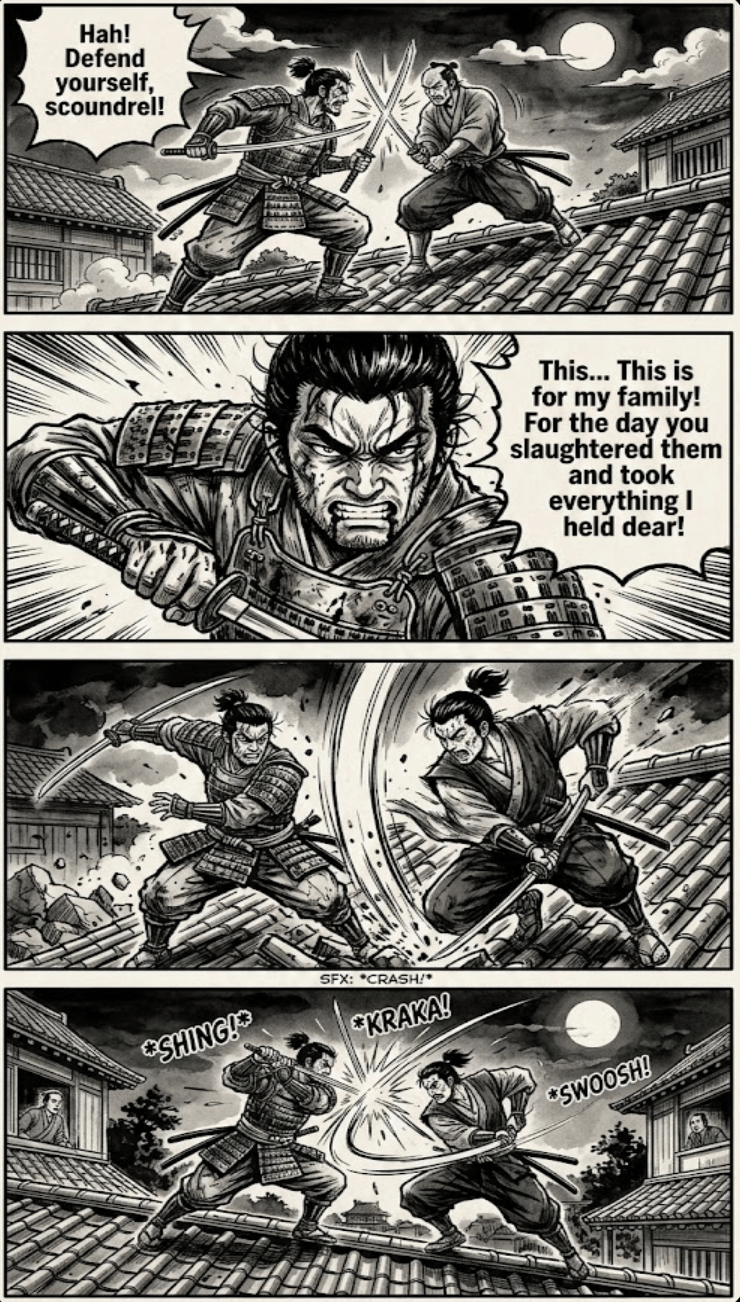
Prompt: Two samurai fighting on a rooftop, 4-panel comic strip, vertical orientation, bold black panel dividers, classic manga style, ink wash shading, action lines, --ar 1:2 Have one of the samurai talking about how he's getting revenge for his family
Character Consistency:
A trend in recent image models has been an improvement in character and object consistency between related images. Google has continued to build on this concept with Nano Banana 2. They shared that you can successfully maintain 14 subjects in a single workflow.
Smarter Model:
This new model can pull relevant information from its extensive knowledge base. This effectively gives an image model the same “intelligence” as the Gemini text models. Nano Banana 2 can also search the web to find and correctly render specific objects or subjects. We can truly see the power of Nano Banana 2 when we combine knowledge retrieval and image generation; creating visually appealing and accurate diagrams, infographics, and other data visualizations.

This is a diagram I created of the Carbon Cycle using Nano Banana 2
Visual Fidelity:
Nano Banana 2 brings improved image quality across the board. Specifically images now have “vibrant lighting, richer textures and sharper details” and up to 4k resolution. This means that whether you’re creating visuals for work or personal projects, you’ll get far better results.
How to Access Nano Banana 2
Google’s new image model is rolling out across all platforms. Here’s how to access:
AI Mode: You can access the new model in Search via AI Mode.
Gemini App: Nano Banana 2 is the new default image model for all users.
API: You can access the new model via the API and Google AI Studio.
Google Labs: Nano Banana 2 is the new default image model in video generator Flow. It is currently available to all Flow users.
My Thoughts:
I’ve always found image models to be a great resource. Quickly creating unique visuals or diagrams means that I can focus on other elements (like writing) without getting bogged down by my lack of artistic ability. That’s why I’m always excited to explore the latest AI image generation models. Nano Banana 2 did not disappoint. The combination of quality, consistency, and speed sets a new baseline for all future AI image models. But don't just take my word for it.
Head to Gemini and start creating to see for yourself what you're most excited about.
Reply